
Toolr: Time Clock Calculator
Toolr, Inc.Business
3.329.00 Reviews
- Version
- 3.1.2
- Installs
- 50.00K
- Age Rating
- Everyone
Screenshots
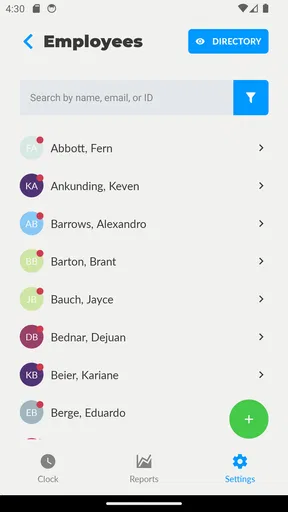
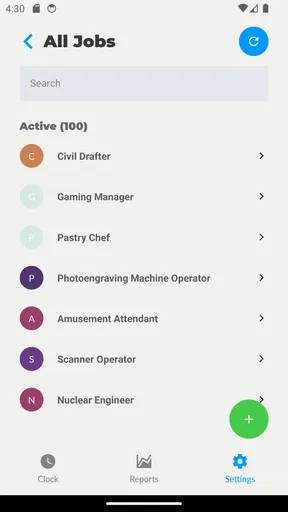
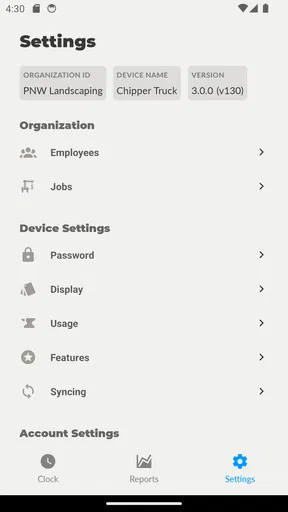
Our Review of Toolr: Time Clock Calculator
 Analysis by Appyee
Keeping track of work time sounds simple until a shift crosses lunch, a second job starts later in the day, or several days need to be checked before submitting a timesheet. Toolr: Time Clock Calculator is a business app from Toolr, Inc. built around that everyday problem. I found its appeal in the direct approach: clock in, clock out, and use the recorded hours as a practical time card rather than trying to reconstruct a week from memory.
It is free to install, carries an Everyone age rating, and has passed the fifty-thousand-install mark. That makes it easy to try without committing money up front. Its average rating is 3.3 from roughly ninety ratings, so I would not treat it as a universally polished solution. My impression is more specific: it can be useful for an individual worker who wants a simple personal record, but it deserves a careful trial before anyone relies on it for payroll, compliance, or a whole team's attendance system.
How Toolr fits into a real workday
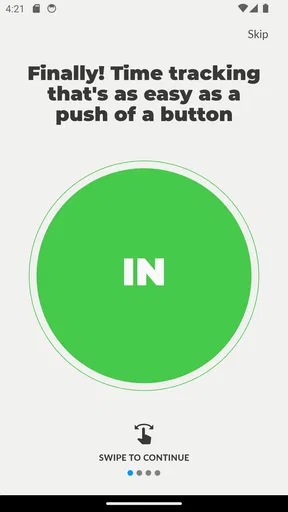
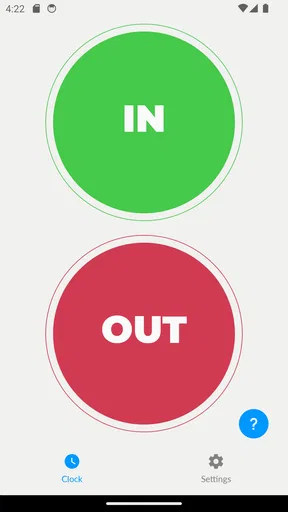
The central workflow is easy to understand. At the beginning of a shift, I would clock in; at the end, I would clock out; then I would use the resulting record to review time worked. That is a much more dependable habit than opening a notes app and typing “started at nine” while hoping I remember the finishing time later. The app's purpose is not to turn time tracking into a project. It is to make the two moments that matter most quick enough to repeat every day.
That simplicity suits people with regular hourly work, occasional freelance assignments, or a side job where the main need is a personal log. It can also help someone compare planned hours with actual hours. For example, if I work a morning shift, take an unpaid break, and return for another block later, I can treat each clocking action as part of a record instead of calculating everything mentally at the end of the week.
A realistic use case is a café employee who finishes a busy shift and has no time to write down the exact departure time. Tapping out immediately creates a better starting point for checking the day's total. A contractor might use the same routine after arriving at a client site and again before leaving. In both cases, the benefit is not sophisticated reporting; it is reducing the small memory errors that accumulate when time entries are recreated later.
There is also a useful behavioral advantage. A clock-in and clock-out tool places the action at the boundary of the work period. That encourages me to record time when it happens, rather than postponing the task until a quiet moment that may never arrive. If you already have a disciplined spreadsheet routine, the difference may be minor. If your spreadsheet is always updated several days late, a dedicated clock button can be a meaningful improvement.
What the free access means in practice
The app is listed as free, which lowers the barrier for a personal trial. I can install it, test the clocking routine, and decide whether it fits my work pattern without paying simply to discover whether the interface feels comfortable. That is the clearest part of its value proposition: basic access is available without an upfront purchase.
There are also in-app purchases listed from $9.99 to $349.99 per item. Those amounts cover a very wide range, so I would not assume that every useful function is included in the free experience or that a particular paid option is necessary for every user. Before spending anything, I would check the purchase screen carefully and ask what the selected item adds to the workflow I actually need. A person tracking only their own hours should be especially cautious about paying for capabilities intended for broader business use.
This distinction matters because “free” and “good value” are not identical. Free access is valuable when the clocking process is reliable and the resulting records are enough for your needs. Paid value depends on what a purchase unlocks and whether that solves a problem you genuinely have. I would not buy an upgrade merely because the app is in the Business category. I would first complete several normal shifts, test the review process, and identify the exact limitation that a purchase is supposed to remove.
The app was released on December 7, 2016, and the current version is 3.1.2. It supports Android 7.0 and later. Those details make it accessible to many older Android devices, although people using a very old phone should still pay attention to how comfortably the current build runs on their hardware. The age rating is Everyone, which fits a straightforward work-time utility rather than an app aimed at a restricted audience.
Where the value goes beyond a basic note
The strongest practical difference between this kind of tool and a paper notebook is the timing of the entry. A notebook can record anything, but it depends on me writing down the time accurately. A calculator can total hours, but it does not create the initial record. Toolr combines the moment of recording with the work-time calculation, so the routine can be shorter and less prone to arithmetic mistakes.
Compared with a spreadsheet, the trade-off is convenience versus flexibility. A spreadsheet is better when I need custom columns, formulas, project codes, invoice references, or a detailed audit trail. Toolr is more appealing when those extras would make me avoid tracking altogether. The right choice depends on whether the main obstacle is calculation or organization. For a worker who repeatedly forgets to start a spreadsheet, a focused clock-in action may deliver more real value than a powerful template that is rarely opened.
Compared with a full employee attendance platform, this app appears better suited to personal tracking than to managing a complicated workforce. A company requiring approval chains, multiple managers, location rules, payroll exports, or formal compliance records should not choose a simple time-card workflow on the assumption that it will replace specialized administration software. The convenience of a small app becomes a limitation when the surrounding process needs accountability between several people.
One useful habit is to treat the app as the first record, not automatically as the only record. At the end of a pay period, I would compare the logged hours with my schedule, payslip, or client notes. That extra check is particularly sensible if a missed clock-out could affect payment. It does not cancel out the app's usefulness; it places the tool in a realistic role as a personal timekeeping aid rather than an unquestionable payroll authority.
Small workflow choices that make a difference
The first tip is to clock out before leaving the work environment, not after getting home. That reduces the chance that commuting, errands, or an unexpected interruption will blur the actual end of the shift. If I notice that I often forget the final tap, I would connect it to an existing habit such as putting away equipment, signing out of a workstation, or checking the next day's schedule.
The second tip is to review entries at the end of the day instead of waiting until the end of the week. A missing clock-out is much easier to identify while the shift is still fresh in my mind. This is a non-obvious advantage of a simple tracker: the app may be easy to use, but the quality of the record still depends on a short review habit. The tool reduces manual calculation; it cannot know whether I forgot to press a button.
The third tip is to decide in advance how breaks fit into the routine. If a workplace treats breaks as unpaid time, I would not assume that a single start-and-finish pair automatically reflects that policy correctly. I would use the available clocking workflow consistently and then verify the total against the employer's rules. This is one of the places where a personal calculator can be convenient but not sufficiently tailored to every payroll arrangement.
A fourth practical approach is to test the app during a low-risk period. I would use it alongside my existing method for several shifts rather than replacing the old record immediately. That reveals whether the buttons are easy to reach, whether I remember the routine, and whether the resulting totals answer my actual question. It also prevents a frustrating discovery at payday if the app does not match the way my workplace defines paid time.
The limitations I would take seriously
The modest average rating is a reason to be realistic. It does not prove that the app will fail for a particular person, but it does suggest that the experience may not be equally smooth for everyone. I would pay attention to reliability, clarity of totals, and how easily I can correct a mistake. A time tracker becomes stressful when a missed tap is difficult to repair or when I cannot confidently understand what a recorded period represents.
There is also a natural ceiling to a one-tap time-card concept. A basic clock-in and clock-out routine is excellent for a simple shift, but less comfortable when work is split among clients, locations, tasks, or changing pay rates. Someone who needs detailed project billing may outgrow the app quickly. In that situation, a spreadsheet or dedicated invoicing tracker could be the better choice, even if it takes longer to configure.
I would also avoid treating the app as a substitute for an employer's official system. If a manager requires a particular attendance platform, that system remains the authoritative record. Toolr can still serve as a private cross-check, but duplicating entries creates another task and introduces the possibility that the two records differ. Its value is highest when personal tracking is allowed and the user understands exactly what the record will be used for.
The purchase range deserves similar caution. A $9.99 item and a $349.99 item represent very different decisions, and the presence of an expensive option does not automatically make the app expensive or inexpensive overall. I would evaluate each purchase against a specific need, not against the promise of having “more” features. If the free workflow already handles one person's start and finish times, spending money may add little practical value.
Who is most likely to benefit
I think the best match is an individual worker who wants a low-effort record of shifts and does not need a complicated administrative system. That includes hourly employees keeping a personal check, freelancers who bill mainly by time, and people with irregular schedules who want to stop relying on memory. The free entry point makes experimentation sensible, especially when the alternative is an unused spreadsheet.
It may also help someone who is new to tracking work hours. Instead of learning formulas or designing a table, that person can begin with the basic start-and-stop habit. The important question is whether the recorded information is enough for the job. If the user needs only daily duration and a dependable personal reference, the focused design is an advantage rather than a missing feature.
I would recommend extra caution for business owners seeking team management. A company may need permissions, approvals, payroll integration, employee separation, or records that can be reviewed by several people. Those requirements are different from an individual's time card. A purpose-built workforce platform is likely a better fit, even if it costs more, because the expense may buy administrative control rather than merely another clock button.
I would also steer away from it as a primary solution for workers whose pay depends on complicated rules. Multiple rates, split shifts, travel time, overtime thresholds, and detailed break policies can make a simple total misleading. In those cases, the app might still be useful as a rough personal log, but I would not rely on it alone to calculate what should appear on a payslip or invoice.
My recommendation after weighing the cost and trade-offs
Toolr: Time Clock Calculator delivers its clearest value by making personal time tracking less effortful. It is free to try, supports a familiar clock-in and clock-out routine, and has enough reach to have accumulated over fifty thousand installs. I like the idea of using it as a daily memory aid and a quick check against schedules, especially for someone who finds spreadsheets too cumbersome.
My recommendation is to start with the free experience and judge it by one practical test: after several shifts, can I understand and trust the record without extra mental work? If yes, it may be a sensible companion for individual work-hour tracking. If I need detailed project records, team oversight, formal payroll handling, or complex break calculations, I would choose a more specialized alternative instead.
The developer, Toolr, Inc., has kept the concept focused, but focus cuts both ways. It avoids burying the basic action under business-management machinery, while also making the app less suitable for demanding workplace administration. The listed in-app purchases mean I would inspect any upgrade carefully before buying, particularly because the available items range from modest to substantial amounts.
In the end, I see this as a practical trial rather than an automatic recommendation for every workplace. For a person who wants a simple, free starting point and is willing to review entries, it can reduce forgotten times and manual arithmetic. For anyone expecting a complete payroll or workforce platform, the better decision is to skip it as the main system. The best reason to use it is convenience; the best reason to be cautious is the importance of verifying that convenience against your actual pay and record-keeping rules.
Verdict
Strengths of Toolr: Time Clock Calculator
- Calculates shift durations quickly, including breaks and overtime.
- Simple interface makes clock-in and clock-out entries easy to manage.
- Useful for freelancers, hourly workers, and small business owners.
- Helps estimate earnings based on customizable hourly pay rates.
- Works well for checking schedules without needing a full payroll app.
Limitations of Toolr: Time Clock Calculator
- Advanced payroll, tax, and invoicing features are not included.
- Manual time entry can lead to inaccurate results if details are missed.
- Some useful options may be limited behind in-app purchases.
- Not ideal for teams needing shared timesheets or manager approvals.
- The interface may feel basic compared with full workforce management tools.
Similar Picks in This Category
View All
LinkedIn: Community & Network
LinkedIn3.8

Zoom Workplace
zoom.com4.1

Microsoft Teams
Microsoft Corporation4.6

Meta Business Suite
Meta Platforms, Inc.4.6

Webex Meetings
Cisco Systems, Inc.4.5

TeamViewer Remote Control
TeamViewer4.4
Frequently Asked Questions
What is Toolr: Time Clock Calculator used for?
Toolr: Time Clock Calculator is designed to help users calculate working hours, shift durations, breaks, overtime, and total pay more easily. It can be useful for employees, freelancers, contractors, and small business owners who need a quick way to check timesheets without relying on manual calculations. The app is especially convenient when work schedules include different start times, end times, or unpaid breaks.
Can Toolr calculate overtime and wages?
Yes, Toolr is intended to make overtime and wage calculations simpler by allowing users to enter their working times and, where supported, an hourly pay rate. This can help estimate regular earnings, overtime compensation, and total pay for a shift or period. However, users should verify the result against their employer’s payroll rules, since overtime policies, rounding methods, taxes, and local labor regulations may vary.
Does Toolr support overnight shifts and unpaid breaks?
Toolr can be useful for schedules that do not fit a standard daytime shift, including work periods that pass midnight. Users can also account for breaks when determining the number of paid hours. Because time-entry behavior may depend on the app version and device, it is a good idea to test one overnight shift and one break-based calculation before relying on the results for an official timesheet.
Is Toolr: Time Clock Calculator free to download and use?
The availability of free features, advertisements, subscriptions, or optional purchases may depend on the version of Toolr and the platform where it is downloaded. Before installing, check the official store listing for current pricing and in-app purchase information. A free download does not always mean every calculation or convenience feature is included without limitations, so reviewing the store details is recommended.
Is Toolr suitable for official payroll or business records?
Toolr can be a practical personal calculator for checking hours and estimating earnings, but it should not automatically be treated as a complete payroll or time-management system. It may not include features such as employee accounts, manager approvals, labor-law compliance, payroll exports, or secure company reporting. For official records, compare its calculations with your employer’s system and retain properly verified timesheets.
